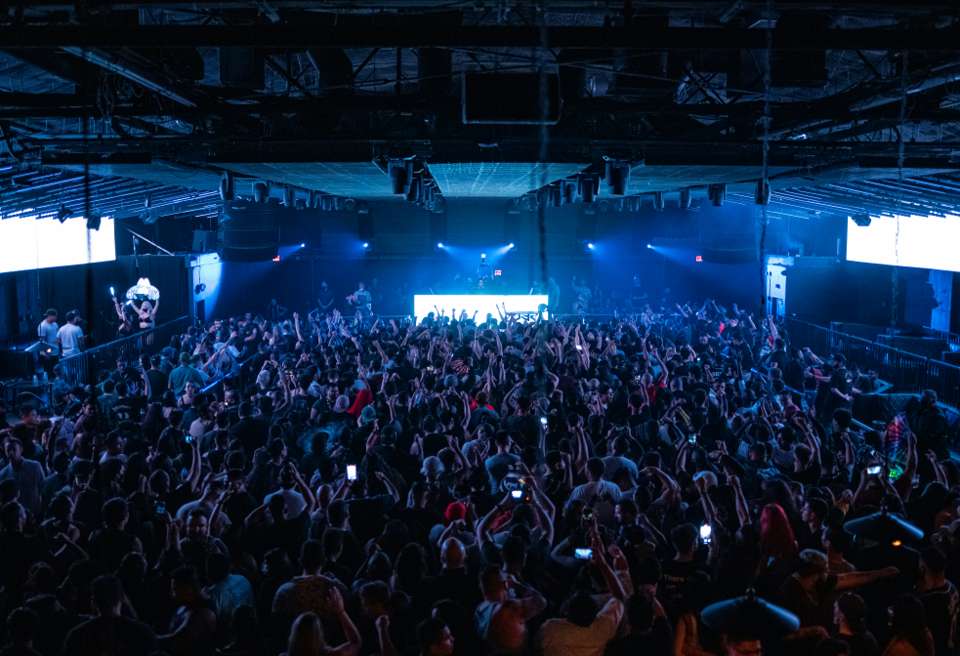
Give your crowd the night back.
Your audience films every show. Chord turns all of it into one shared night — the moments, the songs, the people they were with — and gives you an honest read on what the room loved. We’re running a small number of pilots this festival season.
Their night, kept whole.
Nothing new to learn. They film like they always do — Chord does the rest.
One Night for your event
Everyone at your show joins the same Night — scan the code at the gate or the door, one tap once they have Chord.
The song, caught while they film
Live Mode listens while fans shoot and saves the track with the clip — your set, named, right next to the moment.
Crew chat and who's here
A chat for each crew inside the Night. See how many of your crew are there — a number, never a location or a name.
The morning after
Attendees wake up to their night already put together: their setlist, the crowd's setlist, and a Night Card to share.
The room’s real reaction.
Not a survey, not a hashtag count — what people actually chose to keep.
The crowd's setlist
Which songs your audience actually captured, ranked by how many people caught each one. Counts only — never who.
Your moments in their night
Your team joins the Night too, so your own clips — the opener, the pyro, the encore — sit alongside your crowd's.
Word of mouth with your name on it
The Night is named after your event, so the Night Cards fans share carry it into their group chats and stories.
Privacy you can stand behind
No ads, no data sales, no fan identities handed over. Private by default: a Night is seen by the people who joined it.
Verified artists on your lineup can see their own Memory Footprint — Chord for Artists.
Four steps. One night.
- 01
Tell us about your event
The show, the dates, the city, roughly how many people.
- 02
We set up your event's Night
Your event's Night, a door or gate QR code, and a short guide for your team and your socials.
- 03
On the night, fans capture
They join with one scan and film as they always do — Chord catches the songs and gathers the night.
- 04
After the night, we share the read
What your crowd captured — the songs, how many people caught each one, how many moments — as aggregate numbers only.
Pilots run on the same Nights fans already use with their crews. There’s no organiser dashboard yet — after the night, we send you the read ourselves.
Attendees need Chord to add their clips — it’s an invite-only iPhone beta right now, so tell us your expected crowd and we’ll plan invites with you.
- 1Request a beta inviteYour email — and your next show, if you have one. We invite people with a show coming up first.
- 2Get your inviteWhen a spot opens we email you a TestFlight invite. TestFlight is Apple's free app for beta testing.
- 3Start a NightInstall Chord, start a Night for your next show and send the link to your crew. Film it — Chord catches the song.
On Android? Request an invite anyway — we’ll email you when Android is ready. Chord is for people 16 and over.
Run a pilot with us.
Tell us about your event. The founder reads every message and replies personally.